
Plans and Billing
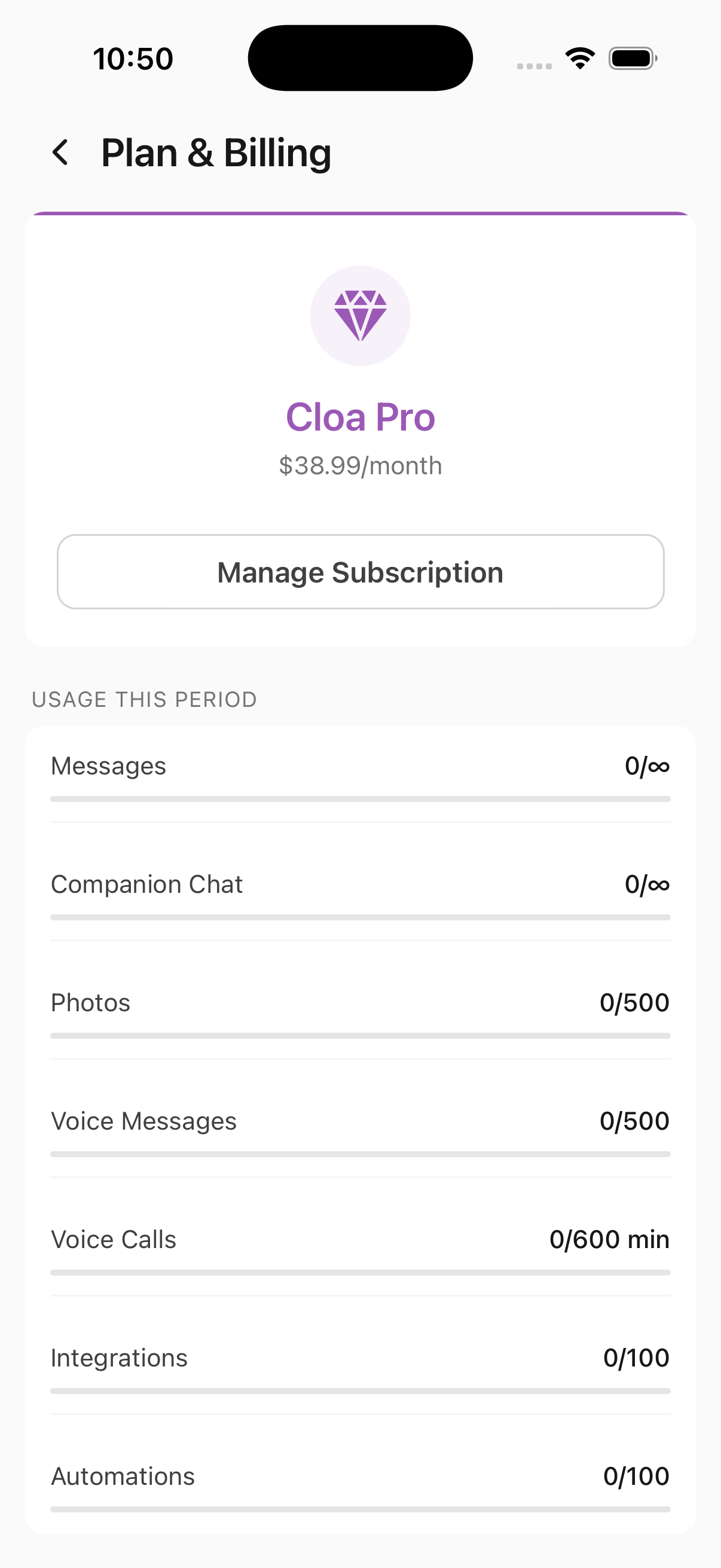
Cloa offers three plans -- Free, Plus, and Pro -- so you can pick the level that fits how you use the app. You can view your current plan, track usage, and manage your subscription from the Plan & Billing screen.
To get there: Open the Cloa app and go to Settings → Plan & Billing.
Available Plans
Cloa is free to start. Upgrade anytime for higher limits and more features.
Free
$0/month -- Get started and explore Cloa at no cost.
| Category | Limit |
|---|---|
| Messages | 20/day |
| Companion Chat | 20/day |
| Photos | 3/month |
| Voice Messages | 4/month |
| Voice Calls | 5 min/month |
| Integrations | 2 |
| Automations | 2 |
Plus -- $18.99/month
More room for daily use and deeper integrations.
| Category | Limit |
|---|---|
| Messages | 200/day |
| Companion Chat | 200/day |
| Photos | 50/month |
| Voice Messages | 50/month |
| Voice Calls | 60 min/month |
| Integrations | 6 |
| Automations | 10 |
Pro -- $38.99/month
Effectively unlimited usage across all features.
| Category | Limit |
|---|---|
| Messages | Unlimited |
| Companion Chat | Unlimited |
| Photos | 500/month |
| Voice Messages | 500/month |
| Voice Calls | 600 min/month |
| Integrations | 100 |
| Automations | 100 |
Usage Dashboard
The Usage This Period section on the Plan & Billing screen shows how much of each quota you have used. Each category displays your current usage against your plan's limit (for example, 0/500 for Photos on the Pro plan).
The tracked categories are:
- Messages -- text messages sent to Cloa (resets daily)
- Companion Chat -- messages sent to Companion personas (resets daily)
- Photos -- AI-generated photos from Companions (resets monthly)
- Voice Messages -- voice messages sent to Companions (resets monthly)
- Voice Calls -- minutes spent on real-time voice calls with Cloa (resets monthly)
- Integrations -- number of connected third-party apps (e.g., Gmail, Notion, Slack)
- Automations -- number of active automation workflows
On the Pro plan, Messages and Companion Chat display as unlimited. When you approach a quota limit on any plan, Cloa will notify you so there are no surprises.
Managing Your Subscription
Upgrading
- Open Settings → Plan & Billing
- Tap Manage Subscription
- Select the plan you want
- Complete payment through the App Store (iOS) or Google Play (Android)
Your new plan takes effect immediately and you get access to the higher quotas right away.
Downgrading
When you downgrade, your current plan stays active until the end of the billing period. After that, you switch to the lower tier. If your usage exceeds the new plan's limits (for example, more connected integrations than the lower plan allows), you may need to disconnect some before the switch takes effect.
Cancelling
You can cancel anytime. Your plan remains active through the end of the current billing period -- you will not lose access mid-cycle. After cancellation, your account reverts to the Free plan.
Billing and Payment
Subscriptions are handled entirely through the App Store (iOS) or Google Play (Android). Cloa does not collect payment information directly -- billing uses the same system as every other app on your phone.
- Monthly billing -- charged on the same date each month
- Cancel anytime -- no penalties, no lock-in
- Receipts -- available through your App Store or Google Play purchase history
- Refunds -- contact Apple or Google directly through their standard refund process
What's Next
- Learn about your data in Privacy and Your Data
- Explore AI memory in How Cloa Remembers
- Set up workflows with Automations