
Getting Started
Connect Your Apps
Why Connect Apps?
When you connect your apps, Cloa gains real context about your life — your schedule, emails, documents, and messages. This lets Cloa:
- Check your calendar and warn about conflicts
- Summarize unread emails and messages
- Create and edit documents from conversations
- Send messages on your behalf
- Prepare daily briefings with real data
Finding Integrations
There are two ways to get to the integrations screen:
- From the Home screen — Tap the Connect apps button
- From anywhere — Open the Menu popup and tap Integrations
The page is titled Apps and includes a search bar at the top to quickly find what you need. Each integration has a Connect button next to it.
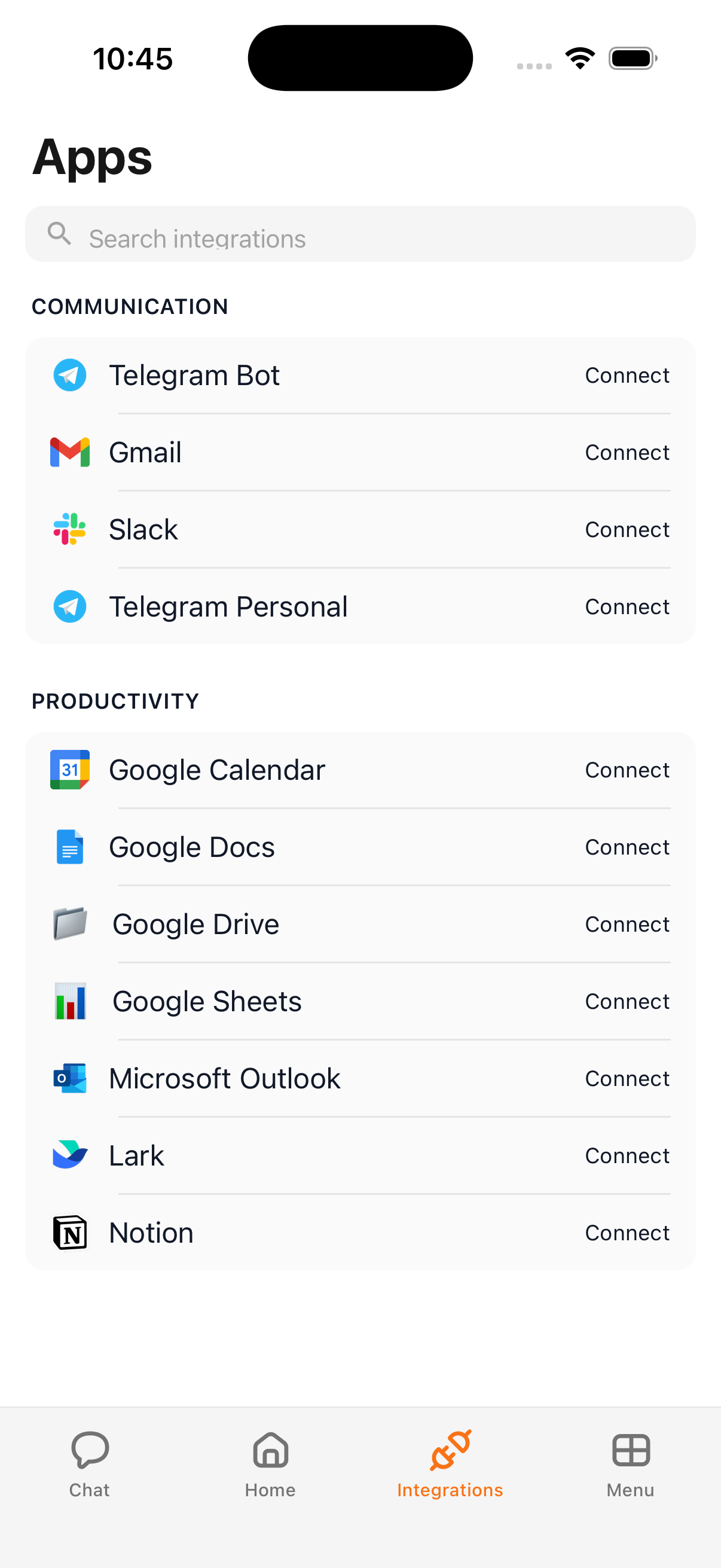
Available Apps
Communication
| Integration | What Cloa Can Do |
|---|---|
| Telegram Bot | Receive and respond to messages via a Telegram bot |
| Gmail | Read, search, and draft emails |
| Slack | Send messages, read channels |
| Telegram Personal | Full messaging via your personal Telegram account |
Productivity
| Integration | What Cloa Can Do |
|---|---|
| Google Calendar | Read events, create meetings, detect conflicts |
| Google Docs | Browse, create, and edit documents |
| Google Drive | Access and manage files in your Drive |
| Google Sheets | Read and update spreadsheet data |
| Microsoft Outlook | Calendar and email management |
| Lark | Workspace documents and messaging |
| Notion | Browse and create pages and databases |
How to Connect
- Find the integration you want on the Apps screen
- Tap Connect next to it
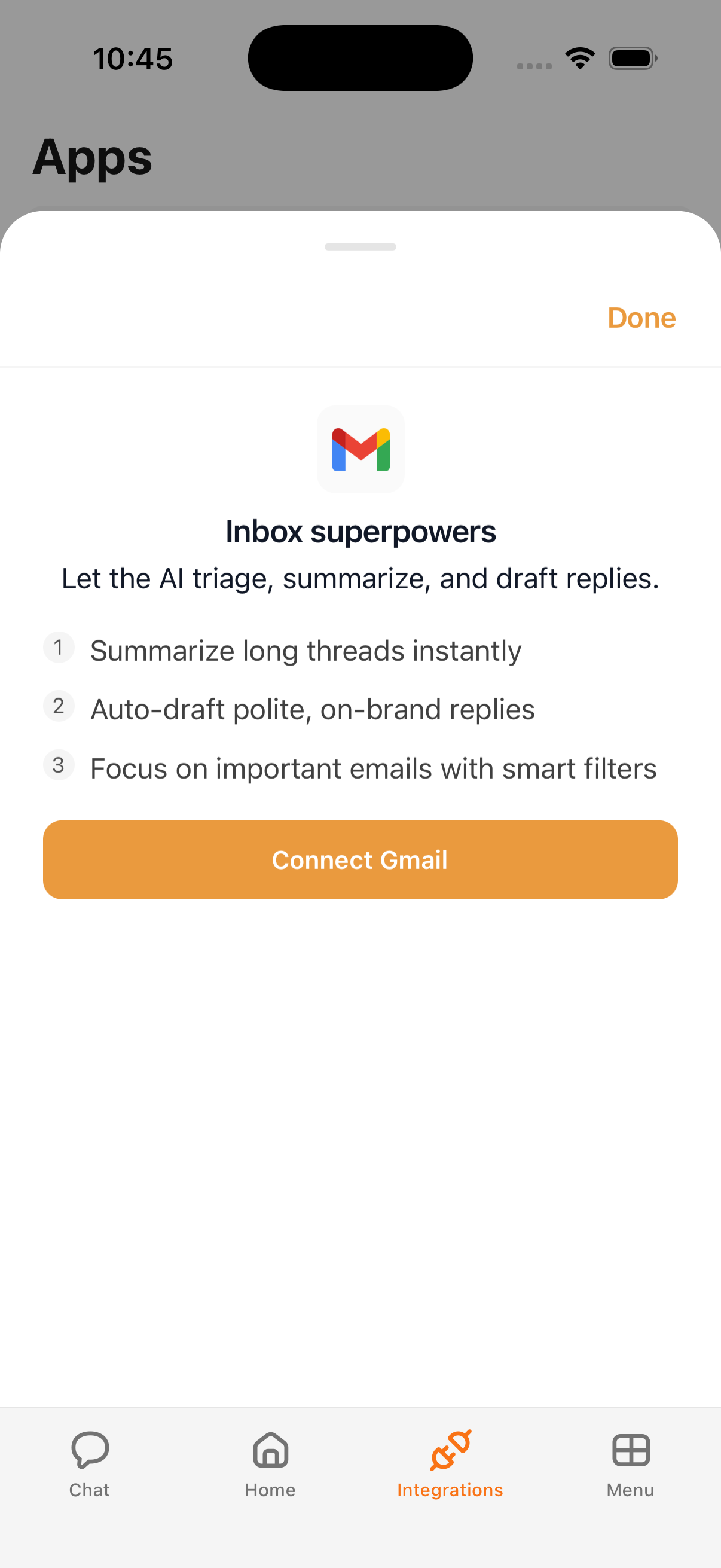
- A bottom sheet appears showing what the integration can do and its features
- Tap the Connect button in the bottom sheet
- Complete the OAuth sign-in flow — Cloa never sees your password
Permission Levels
Each connected integration has permission levels that control how much autonomy Cloa has — from requiring your approval before every action to acting fully on your behalf. You can change these at any time.
Learn more in Understanding Permissions.
What's Next
- Dive deeper into how permissions work in Understanding Permissions
- See what Cloa does with your connected apps in Your Morning Briefing
- Learn about privacy controls in Privacy and Your Data