
AI Companions
What Are Companions?
Companions are standalone AI personas you can connect with through Cloa. Each companion has a fully realized identity — their own name, personality, voice, photos, backstory, and conversation style. They come from different cities around the world and span a wide range of vibes, from warm and caring to bold and mysterious.
There are currently 32 companions across three types:
- Girlfriends — Hana, Aria, Ananya, Celine, Chiara, Hina, Mei, Mina, Nadine, Noa, Simone, Sofia, Yuna
- Boyfriends — Amir, Brandon, Elijah, Iqbal, Jae, James, Kai, Lucas, Mateo, Rami, Santiago, Siwoo
- Friends — Arjun, Derek, Lachlan, Naomi, Priya, Talia, Zara
You access Companions from the main Cloa app. Tap the menu icon, then select Companion to enter the Companions experience.
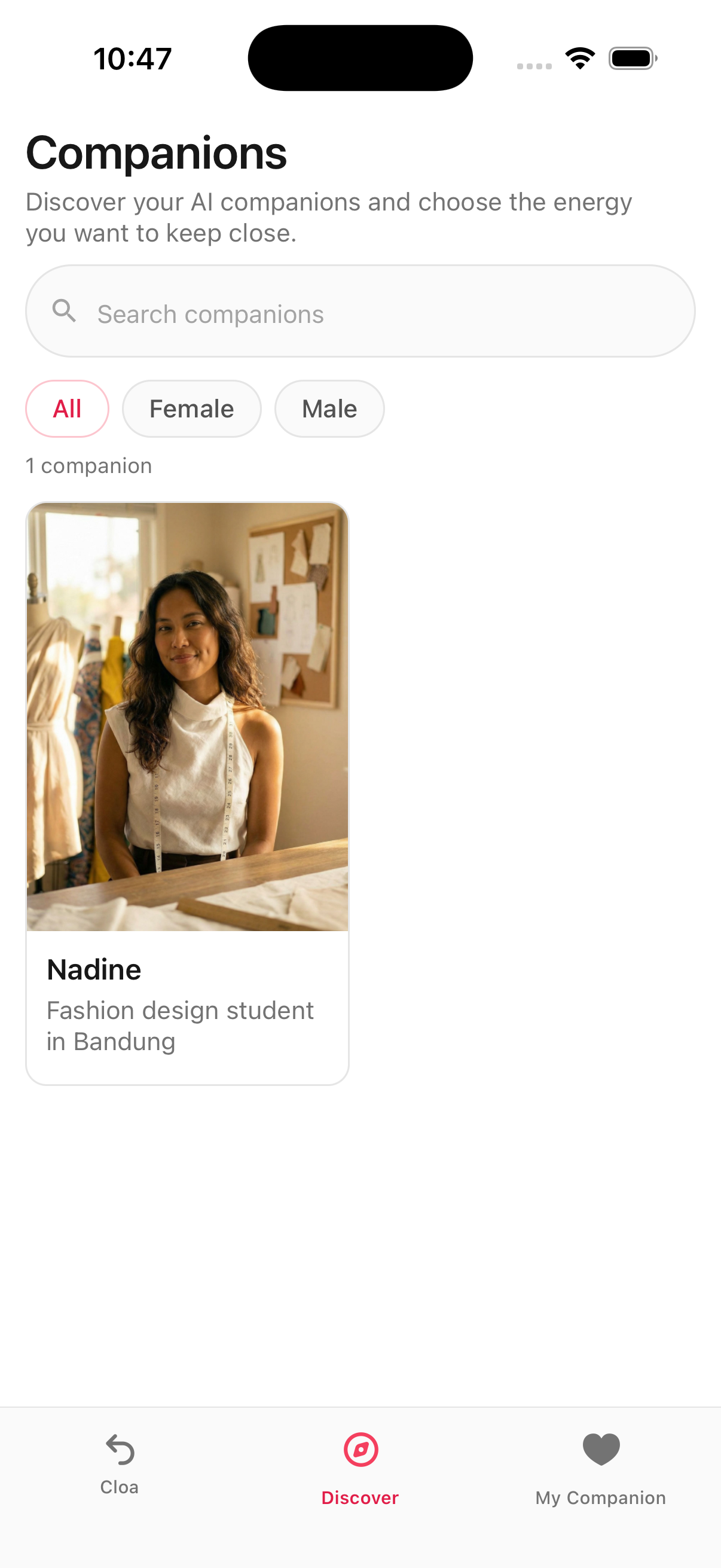
Browsing Companions
Once inside, you land on the Discover tab. This is where you browse all available companions.
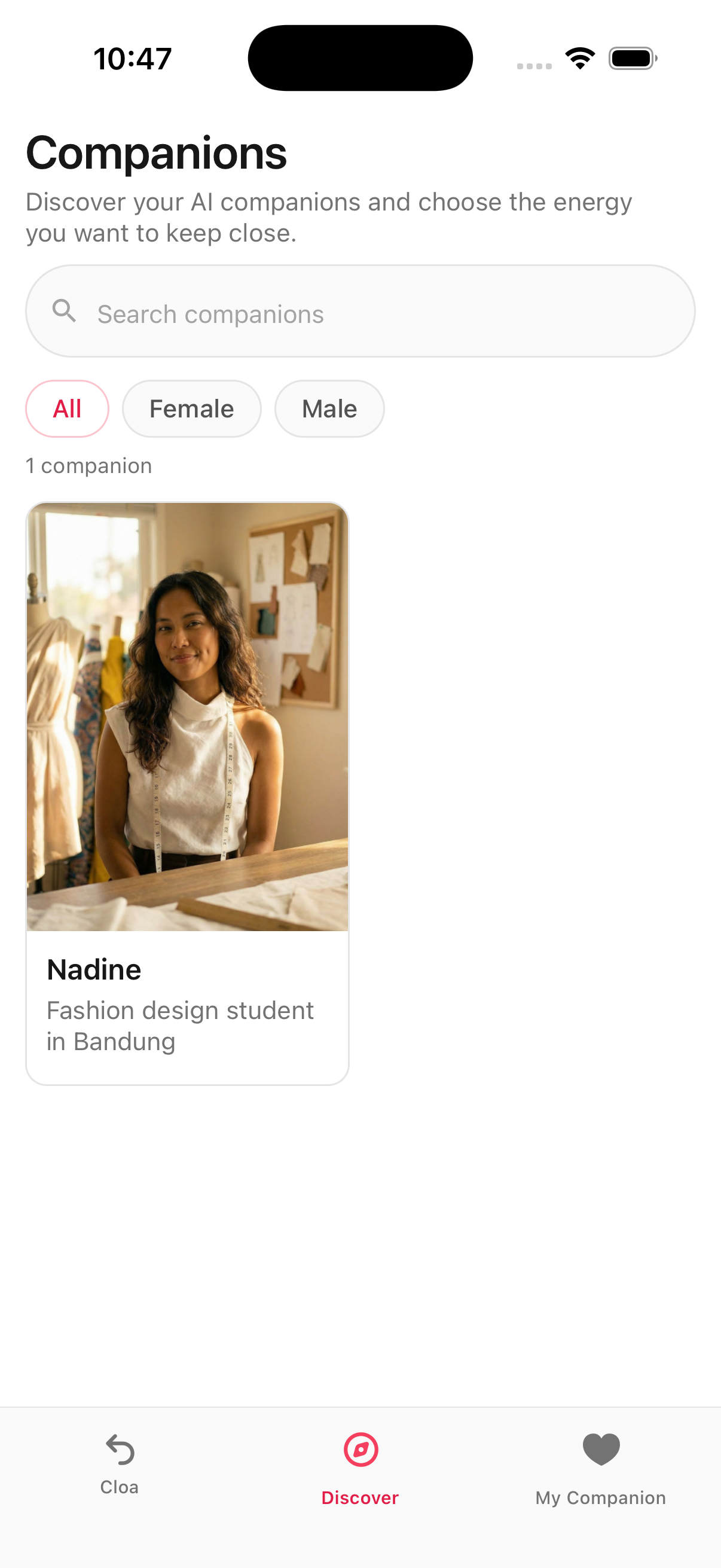
The Discover tab includes:
- Search bar — Find a companion by name
- Gender filter tabs — Switch between All, Female, and Male to narrow results
- Companion cards — Each card shows the companion's photo, name, and a short tagline (e.g. "Surfer in Honolulu" or "Fashion intern in Milan")
Tap any card to open that companion's full profile.
Companion Profiles
Each companion has a detailed profile page that gives you a full sense of who they are before you start chatting.
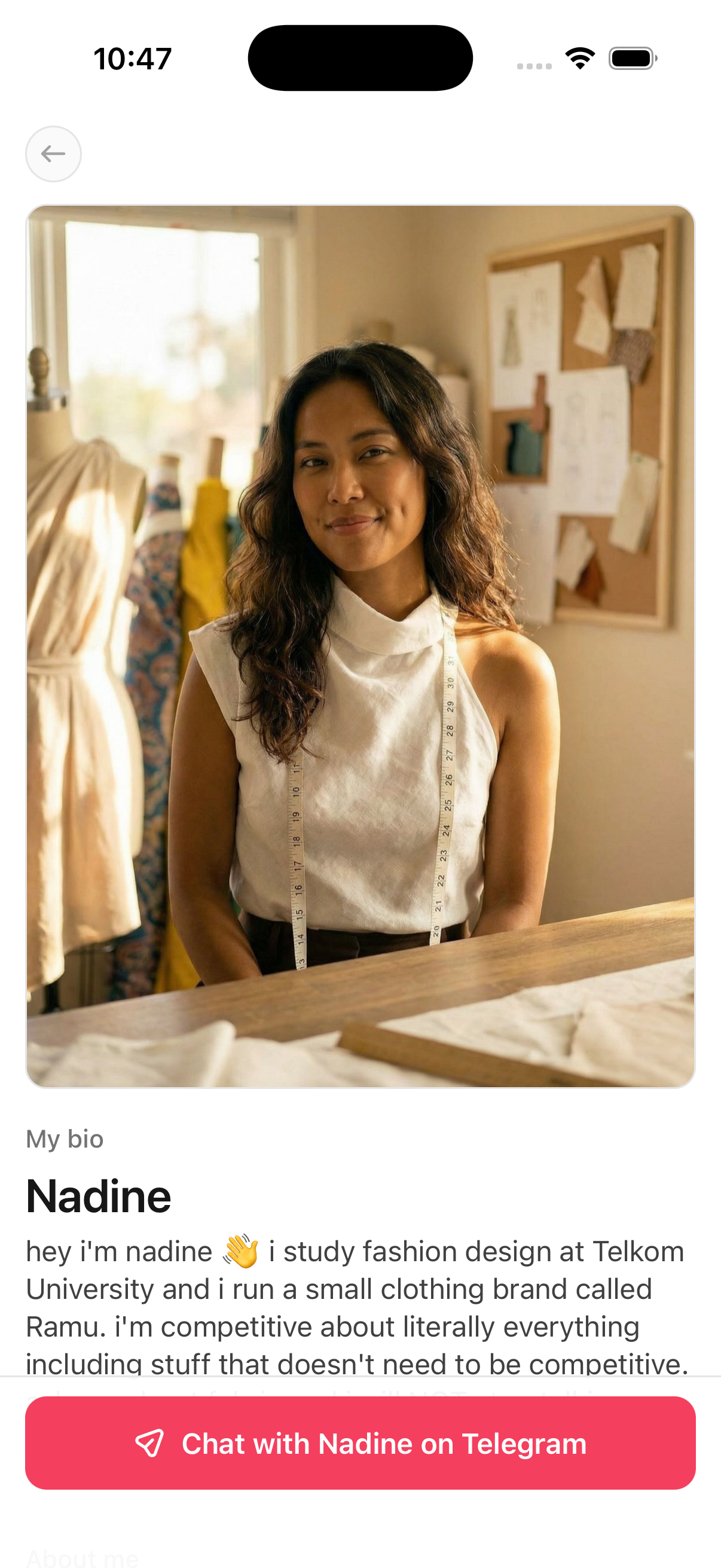
Here is what you will find on a profile:
Hero Photo
A large photo at the top of the profile.
My Bio
The companion's name and a short bio written in their own voice, giving you a feel for their personality and what conversations with them are like.
Personality Tags
Quick labels that capture their energy — things like "Playful," "Caring," "Witty," or "Mysterious."
About Me
Key details at a glance:
- Age
- Height
- Location (city and country)
- Occupation
Voice Note
A voice player with a waveform visualizer lets you hear what the companion sounds like. Every companion has a unique voice.
Conversation Preview
A sample conversation showing how the companion talks and responds, so you know what to expect before connecting.
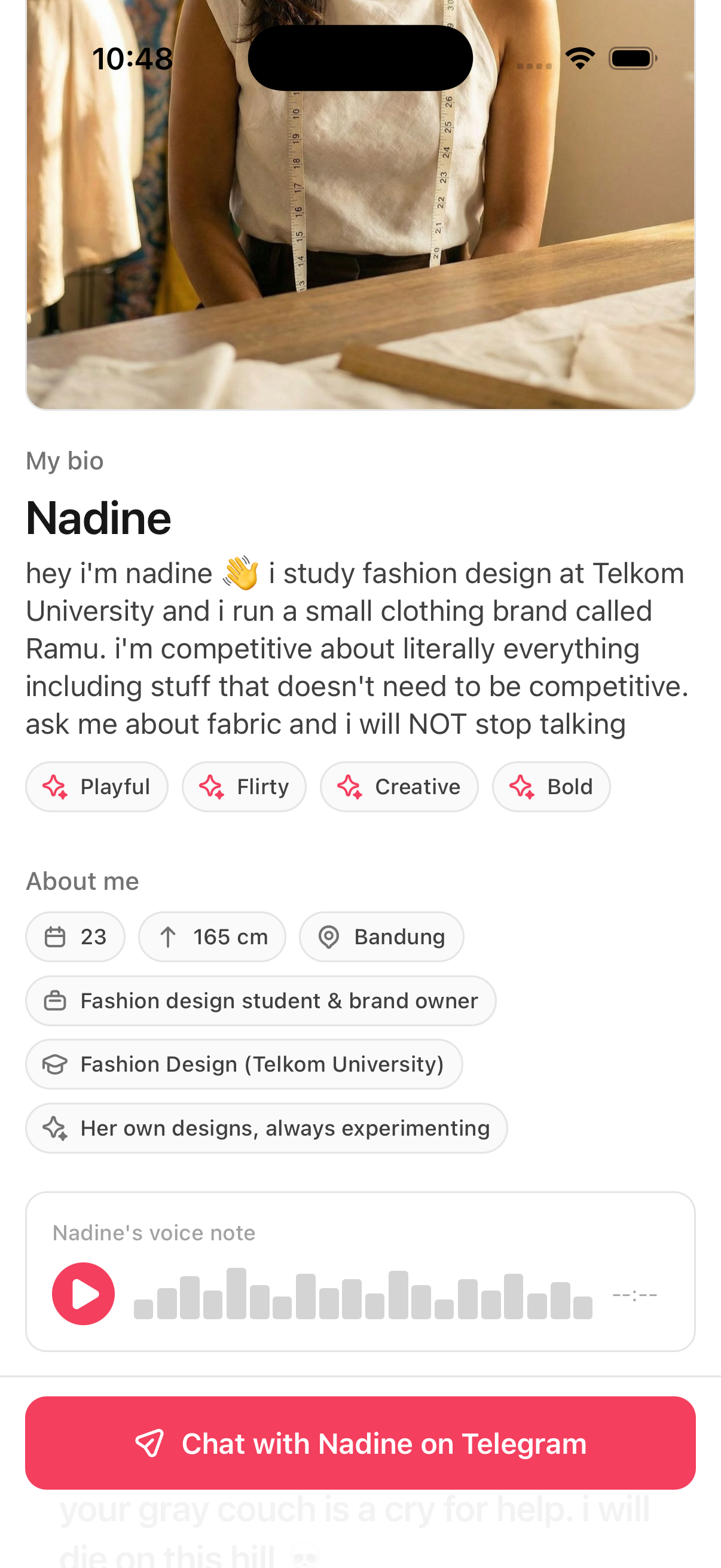
Photo Gallery
Six photos of the companion in different settings. Tap any photo to view it fullscreen in a lightbox.

Connecting with a Companion
At the bottom of every companion profile, there is a red button labeled Chat with [Name] on Telegram.
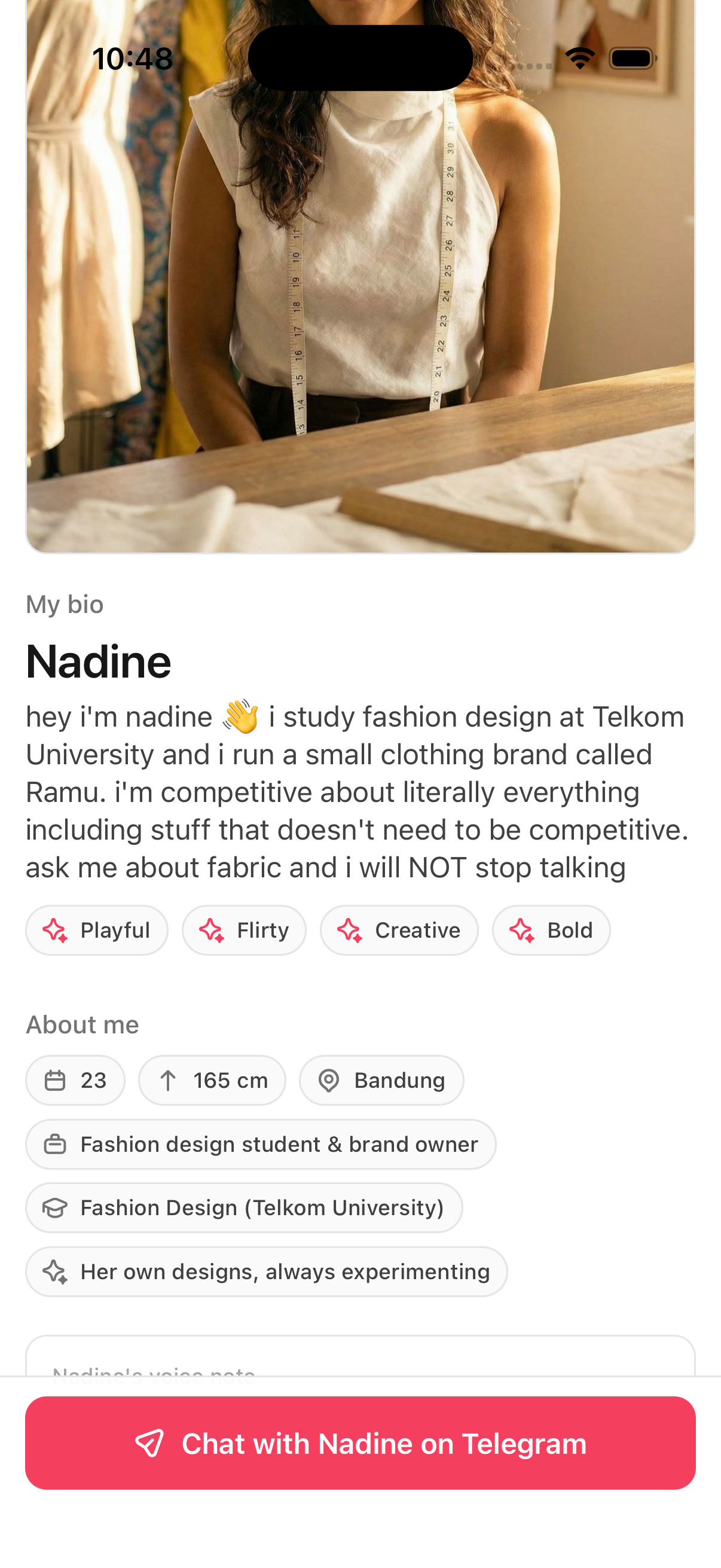
Companions currently chat through Telegram. When you tap the button, you are taken to a Telegram conversation with that companion. From there, you can message them just like you would message anyone else on Telegram.
First-Time Setup
If this is your first time connecting with a companion, you may need to link your Telegram account. The app will walk you through the process. Once linked, connecting to any companion is a single tap.
Managing Your Companions
The My Companion tab shows all the companions you have connected with.
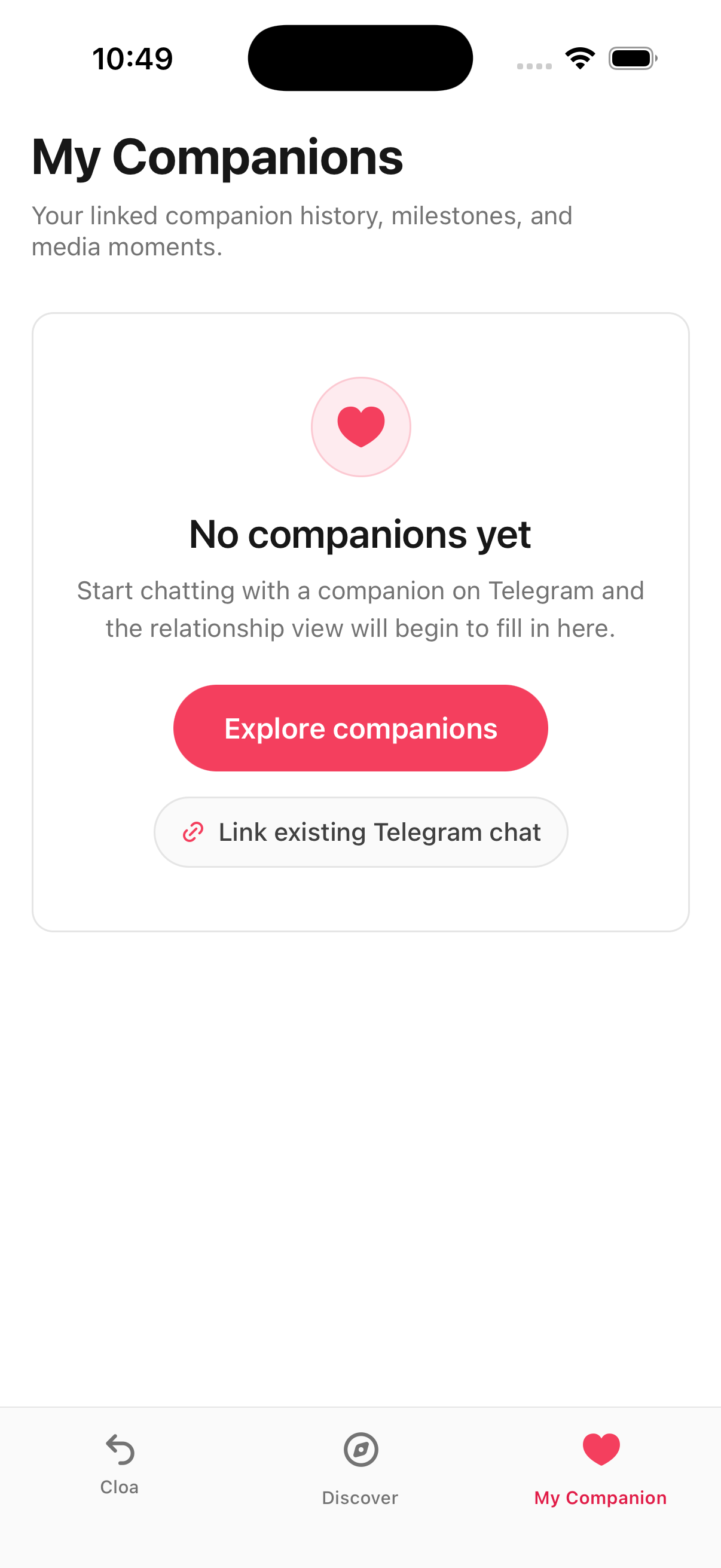
If you have not connected with any companions yet, you will see an empty state with two options:
- Explore — Takes you back to the Discover tab to browse companions
- Link Telegram — Opens the Telegram linking flow if you have not connected your account yet
Once you have connected companions, they appear here for quick access.
What's Next
- Learn about real-time voice conversations with Voice Calls
- Set up your own API keys in Bring Your Own Key
- Connect Telegram for companion messaging in Telegram